
Best crypto wallets for beginners is an important topic for anyone who wants to store, send, receive, and manage Bitcoin, Ethereum, and other digital currencies. A cryptocurrency wallet helps users manage the private keys that control their digital assets on a blockchain. Some wallets work through mobile applications, while others use desktop software or dedicated hardware devices. Understanding how a cryptocurrency wallet works is essential before choosing a storage solution, because security, recovery options, supported coins, and ease of use can differ significantly between wallets.
Quick Overview: Best Crypto Wallets for Beginners
| Feature | Details |
|---|---|
| Main topic | Best Crypto Wallets for Beginners |
| Focus year | 2026 |
| Best-known mobile options | Trust Wallet, Phantom |
| Ethereum-focused wallets | MetaMask, Rabby |
| Desktop-friendly option | Exodus |
| Bitcoin-focused wallets | BlueWallet, Electrum |
| Hardware wallet options | Ledger, Trezor |
| Other multichain option | Coinbase Wallet |
| Wallet categories | Hot wallets, cold wallets |
| Storage models | Custodial and self-custody |
| Important security feature | Private key protection |
| Main risks | Scams, phishing, lost recovery information |
| Guaranteed security | None |
Cryptocurrency wallets are essential tools for managing digital assets.
However, beginners often find it difficult to choose between different wallet applications and hardware devices.
Some wallets are designed for Bitcoin.
Others support Ethereum, Solana, and additional blockchain networks.
Certain wallets focus on simple cryptocurrency transfers, while others provide access to decentralized applications.
The right wallet depends on the user’s needs.
For example, someone learning about Bitcoin may prefer a Bitcoin-focused wallet.
A person exploring Ethereum applications may need a wallet that supports smart contracts.
Someone prioritizing private key isolation may consider a hardware wallet.
This guide explains ten popular cryptocurrency wallets, compares their features, and provides practical security advice for beginners.
What Is a Crypto Wallet?
A crypto wallet is an application or physical device that helps users control cryptocurrency through cryptographic keys.
Unlike a traditional wallet, it does not physically contain digital coins.
Cryptocurrency balances are recorded on blockchain networks.
The wallet provides the tools needed to interact with those records.
There are two important concepts beginners should understand.
Public addresses allow people to receive supported cryptocurrencies.
Private keys authorize transactions and must remain secret.
Anyone who obtains the relevant private keys or recovery information may be able to transfer the associated cryptocurrency.
This is why wallet security matters more than attractive features or popularity.
Top 10 Best Crypto Wallets for Beginners in 2026
1. Trust Wallet — Best for Managing Multiple Cryptocurrencies
Trust Wallet is a self-custody wallet available as a mobile application and browser extension.
It supports numerous blockchain networks, including Bitcoin, Ethereum, Solana, and BNB Smart Chain.
Users can send, receive, and manage supported digital assets.
Its broad network compatibility makes it useful for learning how different cryptocurrencies work.
However, beginners must understand that Trust Wallet does not automatically protect them from every scam.
Connecting to suspicious websites or approving malicious transactions can result in financial losses.
Key Features
-
Mobile application for supported devices
-
Browser extension
-
Support for numerous cryptocurrencies
-
Self-custody of private keys
-
Cryptocurrency transfers
-
Access to supported blockchain applications
Advantages: Broad asset support, convenient mobile access, and no initial software purchase cost.
Disadvantages: Users must protect their recovery information, and advanced features may be confusing.
Best for: Beginners who want to explore multiple cryptocurrency networks.
2. MetaMask — Best for Ethereum and Web3
MetaMask is a well-known cryptocurrency wallet used for interacting with blockchain applications.
It is especially associated with Ethereum and Ethereum-compatible networks.
Its multichain functionality also supports additional ecosystems, including Bitcoin and Solana.
MetaMask can help beginners understand decentralized applications, tokens, and smart contract transactions.
However, using these applications requires caution.
Malicious websites may request dangerous transaction permissions.
Key Features
-
Browser extension
-
Mobile wallet application
-
Ethereum-compatible networks
-
Additional multichain support
-
Smart contract interaction
-
Hardware wallet integration
Advantages: Useful for learning Ethereum, Web3, and decentralized finance.
Disadvantages: Network settings, transaction fees, and contract approvals can be complicated.
Best for: Beginners interested in Ethereum applications.
3. Coinbase Wallet — Best for Learning Self-Custody
Coinbase Wallet is a self-custody wallet associated with Coinbase.
It is different from keeping cryptocurrency in a custodial exchange account.
A self-custody wallet gives users direct control over their wallet credentials.
However, Coinbase Wallet’s supported networks and recovery methods depend on the wallet type.
Its 2026 changes also mean some previously supported networks are no longer available in the current wallet experience.
Beginners should check compatibility before transferring assets.
Key Features
-
Mobile wallet functionality
-
Supported browser and web access
-
Multiple blockchain networks
-
Self-custody options
-
Digital asset transfers
-
Blockchain application access
Advantages: Useful for learning the difference between exchange custody and self-custody.
Disadvantages: Different wallet types support different networks, and lost recovery information may prevent access.
Best for: Beginners exploring personal control of digital assets.
4. Exodus — Best for Desktop Beginners
Exodus is a cryptocurrency wallet available on desktop and mobile devices.
It supports many blockchain networks.
Its interface helps users view balances and manage supported assets.
Exodus can be useful for beginners who prefer working on a computer.
However, desktop software remains exposed to malware and device security problems.
Users must protect their wallet backup information.
Key Features
-
Windows, macOS, and Linux support
-
Mobile applications
-
Multiple cryptocurrency networks
-
Portfolio interface
-
Cryptocurrency transfers
-
Selected hardware wallet integrations
Advantages: Convenient desktop interface and multi-asset functionality.
Disadvantages: Device security remains essential, and some integrated services charge additional fees.
Best for: Beginners who prefer managing cryptocurrency on a computer.
5. Phantom — Best for Solana Beginners
Phantom is a self-custody wallet originally associated with Solana.
It now supports several additional blockchain networks.
Its interface allows users to manage supported tokens and interact with applications.
Phantom can help beginners explore Solana transactions and digital assets.
However, blockchain applications may request permissions that create security risks.
Key Features
-
Mobile application
-
Browser extension
-
Solana support
-
Additional blockchain compatibility
-
Token and NFT management
-
Application connections
Advantages: Accessible interface and useful Solana functionality.
Disadvantages: Smart contract risks and network compatibility requirements.
Best for: Beginners learning about Solana.
6. Ledger — Best for Hardware Wallet Security
Ledger produces hardware wallet devices designed to protect cryptocurrency private keys.
A hardware wallet helps isolate private keys from ordinary internet-connected software.
Users can review and approve transactions through a dedicated device.
However, hardware wallets cannot prevent every scam.
A user may still approve a malicious transaction or reveal recovery information.
Key Features
-
Dedicated hardware devices
-
Private key isolation
-
Physical transaction confirmation
-
Multiple cryptocurrency support
-
Companion wallet software
-
Recovery backup functionality
Advantages: Stronger separation of private keys from ordinary device software.
Disadvantages: Initial purchase cost and additional setup responsibilities.
Best for: Beginners who want to learn about hardware-based cryptocurrency storage.
7. Trezor — Best for Dedicated Cold Storage
Trezor is an established hardware wallet brand.
Its devices are designed to protect private keys and help users approve cryptocurrency transactions.
Different Trezor models offer different features.
Some support touchscreens and additional connectivity options.
However, users must carefully protect their recovery information.
Losing the required backup may result in permanent loss of access.
Key Features
-
Hardware-based key protection
-
Physical transaction approval
-
Wallet recovery options
-
Support for selected cryptocurrencies
-
Companion wallet software
Advantages: Dedicated security device and documented recovery procedures.
Disadvantages: Hardware cost, setup complexity, and model-specific compatibility.
Best for: Beginners interested in less frequent cryptocurrency transactions and key isolation.
8. BlueWallet — Best for Bitcoin Beginners
BlueWallet is a Bitcoin-focused software wallet.
It provides tools for managing Bitcoin transactions.
Its narrow focus can make it useful for people who want to understand Bitcoin without exploring numerous blockchain networks.
However, Bitcoin transactions are generally irreversible once confirmed.
Users must verify addresses and transaction amounts carefully.
Key Features
-
Bitcoin wallet functionality
-
Mobile-oriented interface
-
Bitcoin transfers
-
Wallet backup options
-
Bitcoin transaction management
Advantages: Focused on Bitcoin and its transaction system.
Disadvantages: Not designed as a universal wallet for many different cryptocurrencies.
Best for: Beginners who primarily want to learn about Bitcoin.
9. Electrum — Best for Learning Advanced Bitcoin Features
Electrum is a long-established Bitcoin software wallet.
It offers tools for managing Bitcoin transactions and wallet settings.
Some of its features provide more control over transaction fees and wallet configuration.
However, this flexibility can make Electrum more technical than beginner-oriented mobile applications.
Users must also be cautious of fake downloads and phishing attempts.
Key Features
-
Bitcoin-focused wallet
-
Desktop software
-
Transaction fee controls
-
Recovery functionality
-
Advanced Bitcoin options
Advantages: Specialized Bitcoin functionality and flexible settings.
Disadvantages: More technical interface and configuration requirements.
Best for: Beginners progressing toward advanced Bitcoin wallet management.
10. Rabby Wallet — Best for Ethereum Transaction Visibility
Rabby Wallet focuses on Ethereum-compatible blockchain networks.
It offers tools for managing assets and interacting with decentralized applications.
Some features help users review transaction details and permissions.
However, transaction warnings cannot detect every scam.
Users should independently verify websites and contract interactions.
Key Features
-
Ethereum-compatible blockchain support
-
Browser and application functionality
-
Transaction previews
-
Decentralized application access
-
Multi-network management
Advantages: Useful transaction information and Ethereum ecosystem compatibility.
Disadvantages: More specialized than general-purpose multi-asset wallets.
Best for: Beginners who are becoming familiar with Ethereum applications.
Best Crypto Wallets for Beginners: Comparison Table
| Wallet | Wallet type | Main strength | Main limitation |
|---|---|---|---|
| Trust Wallet | Software | Multi-asset support | Recovery responsibility |
| MetaMask | Software | Ethereum and Web3 | Smart contract complexity |
| Coinbase Wallet | Software | Self-custody features | Network compatibility varies |
| Exodus | Software | Desktop interface | Device security |
| Phantom | Software | Solana ecosystem | Application risks |
| Ledger | Hardware | Private key isolation | Purchase cost |
| Trezor | Hardware | Dedicated signing device | Backup responsibility |
| BlueWallet | Software | Bitcoin focus | Limited asset coverage |
| Electrum | Software | Advanced Bitcoin tools | Technical interface |
| Rabby Wallet | Software | Ethereum transaction visibility | Specialized network support |
No wallet is universally best for every user.
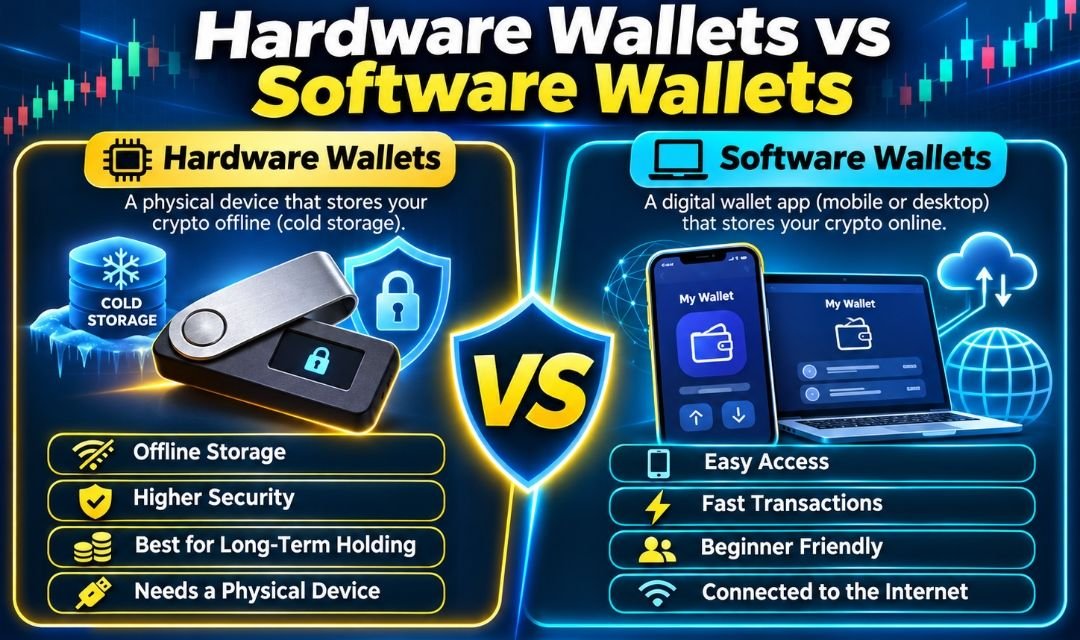
Hot Wallet vs Cold Wallet
Crypto wallets are commonly classified as hot wallets or cold wallets.
Hot Wallets
Hot wallets operate through internet-connected environments.
Examples include mobile and browser-based wallet applications.
They are convenient for regular transactions.
However, connected devices may be exposed to malware and phishing.
Cold Wallets
Cold storage keeps private keys offline or isolated from general-purpose online systems.
Hardware wallets are commonly used for this purpose.
However, physical devices still require secure setup and backups.
| Feature | Hot wallet | Cold wallet |
|---|---|---|
| Typical device | Smartphone or computer | Dedicated hardware |
| Convenience | Generally higher | Additional steps |
| Key exposure | Greater online exposure | Reduced exposure |
| Initial cost | Often free | Usually paid |
| Main risk | Malware and phishing | Backup loss and malicious approvals |
| Common use | Frequent activity | Less frequent activity |
Custodial vs Non-Custodial Crypto Wallets
Another important difference is who controls the private keys.
Custodial Wallets
A custodial service manages cryptocurrency keys on behalf of customers.
Users typically access their balances through an account.
However, they depend on the provider’s security and financial stability.
Non-Custodial Wallets
Non-custodial wallets give users direct control over their cryptocurrency keys.
This provides greater independence.
However, users become responsible for backups and recovery.
Losing access without a valid recovery method may result in permanent loss.
How to Choose the Best Crypto Wallet
Beginners should evaluate several important factors.
1. Cryptocurrency Support
Check whether the wallet supports Bitcoin, Ethereum, Solana, or the exact asset you intend to manage.
2. Security Features
Review private key storage, transaction approval, backup options, and available device protections.
3. Ease of Use
A clear interface may reduce confusion.
However, simplicity does not guarantee security.
4. Recovery Options
Understand how to restore the wallet if your device is lost.
5. Transaction Fees
Wallet applications may be free, but blockchain transactions can involve network fees.
6. Device Compatibility
Choose a wallet compatible with your operating system.
7. Official Software
Download wallet software only from verified distribution channels.
8. Customer Support
Understand what the provider can and cannot help recover.
Self-custody providers generally cannot reverse transactions or recover lost private keys.
How to Set Up Your First Crypto Wallet
Setting up a wallet requires careful attention.
First, research a legitimate wallet compatible with your cryptocurrency.
Next, download the application from a verified source or initialize a trustworthy hardware device.
Follow the setup instructions.
Configure available security features.
Understand how the wallet’s recovery method works.
Protect all recovery information.
Never share private keys or recovery phrases.
Before transferring cryptocurrency, verify the destination address and network.
Beginners can learn wallet functionality without depositing significant amounts of money.
How to Keep Your Crypto Wallet Safe
Security should be the first priority.
A cryptocurrency wallet may provide advanced features, but users can still lose assets through mistakes.
Important precautions include:
-
Never share private keys or recovery phrases.
-
Use official wallet software.
-
Keep devices updated.
-
Enable supported security features.
-
Verify receiving addresses.
-
Check blockchain network compatibility.
-
Avoid suspicious links.
-
Review smart contract permissions.
-
Protect recovery information from theft and damage.
-
Be cautious of unexpected support messages.
These practices can reduce common risks, but they cannot guarantee complete protection.
Common Crypto Wallet Scams
Fake Wallet Applications
Scammers may create applications that imitate legitimate wallets.
Installing malicious software can compromise private keys.
Recovery Phrase Phishing
Fraudsters may request a recovery phrase while pretending to provide technical support.
Never disclose recovery information.
Fake Airdrops
Some scams promise free cryptocurrency in exchange for connecting a wallet.
Malicious contracts may attempt to transfer assets.
Fraudulent Support Messages
Scammers may impersonate wallet providers.
They often claim that immediate action is required.
Always verify support channels independently.
Best Crypto Wallets for Bitcoin
Bitcoin users may consider learning about BlueWallet, Electrum, and compatible hardware wallets.
Multi-asset software wallets may also support Bitcoin.
However, Bitcoin addresses and transaction rules differ from other blockchain networks.
Verify compatibility before receiving or sending BTC.
Best Crypto Wallets for Ethereum
Ethereum users often explore MetaMask, Rabby Wallet, Trust Wallet, and other compatible wallets.
These products can help manage ETH and supported tokens.
However, Ethereum transactions may involve gas fees and smart contract approvals.
Users should understand these concepts before interacting with applications.
Best Crypto Wallets for Solana
Phantom is a well-known wallet associated with Solana.
Trust Wallet and other multichain products may also support Solana.
However, compatibility varies by wallet version and asset.
Always check the exact network before transferring tokens.
Are Free Crypto Wallets Safe?
Many software wallets are free to install.
However, free does not automatically mean secure.
A wallet’s safety depends on software quality, device protection, recovery procedures, and user behavior.
Hardware wallets require an initial purchase but may provide additional private key isolation.
Neither type eliminates every risk.
Can You Lose Cryptocurrency in a Wallet?
Yes.
Cryptocurrency can be lost through stolen keys, malicious transactions, incorrect transfers, or failed recovery procedures.
Some users lose access after damaging a device and losing their backup.
Others are deceived into sending assets to scammers.
Blockchain transactions are generally irreversible once finalized.
Therefore, careful verification is essential.
Final Thoughts
The best crypto wallets for beginners depend on individual needs, cryptocurrency compatibility, and security preferences.
Trust Wallet offers broad support for different blockchain networks.
MetaMask is useful for exploring Ethereum and Web3 applications.
Coinbase Wallet and Exodus provide additional self-custody options.
Phantom is particularly useful for learning about Solana.
BlueWallet and Electrum focus on Bitcoin.
Ledger and Trezor provide dedicated hardware wallet solutions.
However, every wallet involves security responsibilities.
Users must protect recovery information, verify transactions, and avoid suspicious applications.
A wallet with many features is not automatically safer than a simpler alternative.
Beginners should focus on understanding private keys, wallet backups, and blockchain networks before transferring valuable assets.
Learning these fundamentals can help reduce avoidable mistakes and improve cryptocurrency security.
Frequently Asked Questions About the Best Crypto Wallets for Beginners
1. What is the best crypto wallet for beginners?
There is no universal best option. Trust Wallet, Phantom, Exodus, MetaMask, and hardware wallets serve different needs.
2. Is Trust Wallet good for beginners?
It offers broad cryptocurrency support, but users must understand self-custody security.
3. Is MetaMask safe?
MetaMask provides self-custody functionality, but phishing, compromised devices, and malicious approvals remain risks.
4. Is Coinbase Wallet free?
The wallet software can be used without an initial purchase fee, although transaction and service fees may apply.
5. Is Exodus suitable for beginners?
Its desktop and mobile interfaces can be useful for learning cryptocurrency management.
6. What is Phantom Wallet?
Phantom is a multichain cryptocurrency wallet strongly associated with Solana.
7. What is a hardware wallet?
It is a dedicated device designed to protect cryptocurrency private keys.
8. Is Ledger a cold wallet?
Ledger hardware devices are commonly used for cold-storage arrangements.
9. Is Trezor good for beginners?
Trezor provides hardware wallet options, but users must understand setup and backup procedures.
10. What is BlueWallet?
BlueWallet is a Bitcoin-focused software wallet.
11. What is Electrum?
Electrum is a Bitcoin wallet offering advanced transaction and configuration features.
12. What is Rabby Wallet?
Rabby is a wallet focused on Ethereum-compatible networks.
13. Are crypto wallets free?
Many software wallets are free, while hardware wallets generally require purchasing a device.
14. Can I store Bitcoin and Ethereum in one wallet?
Some multichain wallets support both, but compatibility must be verified.
15. What is a private key?
A private key is secret cryptographic information used to authorize transactions.
16. What is a recovery phrase?
It is backup information used by many wallets to restore access to cryptocurrency.
17. Can someone steal my crypto with my recovery phrase?
Yes. A compromised recovery phrase can give someone control over the associated assets.
18. What happens if I lose my phone?
You may be able to restore access using the wallet’s valid recovery method.
19. What happens if I lose my hardware wallet?
Recovery may be possible with the appropriate backup information.
20. Are hardware wallets completely secure?
No. Hardware wallets reduce certain risks but cannot prevent every attack or mistake.
21. Can cryptocurrency transactions be reversed?
Confirmed blockchain transactions generally cannot be reversed by a wallet provider.
22. What is a hot wallet?
A hot wallet operates in an internet-connected environment.
23. What is a cold wallet?
A cold wallet keeps private keys offline or isolated from ordinary online systems.
24. Can I create a wallet without buying cryptocurrency?
Yes. Many wallet applications allow users to create a wallet without purchasing digital assets.
25. What is the most important wallet safety rule?
Never share private keys or recovery phrases, and always verify transactions before approval.
For more cryptocurrency guides, blockchain education, Bitcoin tutorials, and beginner-friendly financial articles, visit Picanto Magazine