
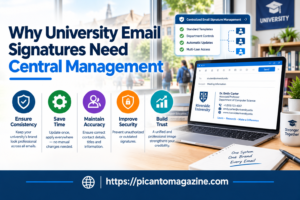
A university can send thousands of emails before lunchtime. Admissions officers reply to prospective students, lecturers contact research partners, and administrative teams handle everything from enrollment questions to financial matters.
Yet something as small as an email signature can create an inconsistent impression.
One department might use an outdated university logo. Another might include a phone number that no longer works. A third might have no signature at all.
These details seem minor until you consider how often people communicate with a university through email. For many students, parents, and external partners, an email is their first direct interaction with the institution.
That’s why centrally managing email signatures deserves more attention than it usually receives.
The Problem With Letting Every Department Create Its Own Signature
Universities aren’t small organizations with a handful of employees working in one building.
They often have multiple faculties, administrative divisions, research centers, and campuses. Each group has its own communication needs, but all represent the same institution.
When employees create their own email signatures, inconsistencies are almost inevitable.
One professor might use a personal design with unusual fonts. An admissions employee might copy an old template from a colleague. Someone else might add a large image that doesn’t display properly on mobile devices.
The result is a collection of signatures that look unrelated.
There’s also a practical problem. When university contact details or branding change, updating individual signatures can become a lengthy administrative exercise.
Central management gives institutions a way to maintain consistency without expecting every employee to become a branding expert.
Why Consistent Email Signatures Matter in Higher Education
They help establish institutional credibility
Imagine a prospective international student receiving two emails from the same university.
The first has a clean signature displaying the sender’s name, department, university identity, and official contact details.
The second ends with a name and an outdated personal email footer.
Both messages might contain equally helpful information. Still, the first looks more official and gives the recipient greater confidence about who they’re communicating with.
For universities competing to attract students and research opportunities, those impressions matter.
They make contact information easier to find
University staff frequently communicate with people who need quick answers.
A student might need to contact the financial aid office. A research partner might want to call a department coordinator. A parent might need to confirm an admissions appointment.
A properly structured signature makes relevant contact details readily available.
It also reduces unnecessary follow-up messages asking for information that could have appeared in the original email.
They support a recognizable institutional identity
University branding usually appears on websites, brochures, campus signage, and official documents.
Email should follow the same standards.
Consistent signatures help connect everyday communication with the institution’s established visual identity, even when messages come from different departments.
Managing Signatures Across Multiple Campuses and Departments
The biggest challenge isn’t creating an attractive signature template. It’s maintaining accurate information across a large and constantly changing organization.
Universities regularly experience staff appointments, departmental transfers, temporary teaching contracts, and administrative restructuring.
Each change can affect the information displayed beneath an employee’s email.
This is where email signature management specialists can help institutions establish centrally controlled templates while allowing appropriate differences between faculties, departments, and individual roles.
For example, the admissions department might need a signature containing application contact details, while a research office might include a relevant institutional webpage.
Both can follow the same branding rules without displaying identical information.
A central system can also reduce the need for IT staff to manually edit individual signatures whenever organizational details change.
Reducing the Administrative Workload
Ask an IT administrator how much time they spend correcting email signatures, and the answer might be surprising.
A new employee needs their title added. A faculty changes its name. A department moves offices. An old promotional banner remains in signatures months after the event has ended.
Individually, these are small tasks. Across hundreds or thousands of accounts, they add up.
Centralized signature management can make routine updates easier by allowing authorized administrators to adjust templates and information from one place.
Instead of sending instructions to every employee and hoping everyone follows them, the institution can apply approved changes more consistently.
This also helps during busy periods, such as the beginning of an academic year, when staff information and departmental responsibilities may change frequently.
Using Email Signatures for University Announcements
Email signatures can also provide a useful space for sharing relevant institutional information.
Consider an admissions team responding to prospective students during an application period. A small banner beneath the signature could direct recipients toward application deadlines or an upcoming campus open day.
A research department might promote a public lecture or academic conference.
The key is relevance.
A student asking about tuition fees probably doesn’t need a large promotional image for an unrelated event. Signature content should support the conversation rather than distract from it.
Central management makes it easier to assign suitable messages to specific departments and remove them when they’re no longer useful.
What Universities Should Consider Before Making the Switch
Before introducing a centralized system, university administrators should consider several practical questions.
First, how easily can the system work with the institution’s existing email environment? Compatibility matters, especially when staff use different devices and email applications.
Second, can administrators create separate templates for faculties and departments without losing control over the main institutional design?
Third, how are employee details maintained? Information drawn from an existing staff directory may reduce manual entry, provided the directory itself is accurate.
Finally, signatures should be tested on desktop and mobile devices. A design that looks attractive on a large monitor can become difficult to read on a phone.
Universities should also consider accessibility, keeping text readable and ensuring important contact information isn’t available only inside images.
A Small Change With Long-Term Benefits
University communication depends on thousands of everyday interactions. Each email contributes to how students, parents, academic partners, and the wider community perceive the institution.
A consistent signature won’t replace helpful staff or clear communication. It can, however, make messages easier to recognize, contact details easier to find, and institutional branding easier to maintain.
For universities managing numerous departments and frequent staffing changes, centralized email signature management offers a practical way to reduce repetitive work while presenting a more consistent professional identity.
Sometimes improving communication starts with something as simple as the information beneath an email.