
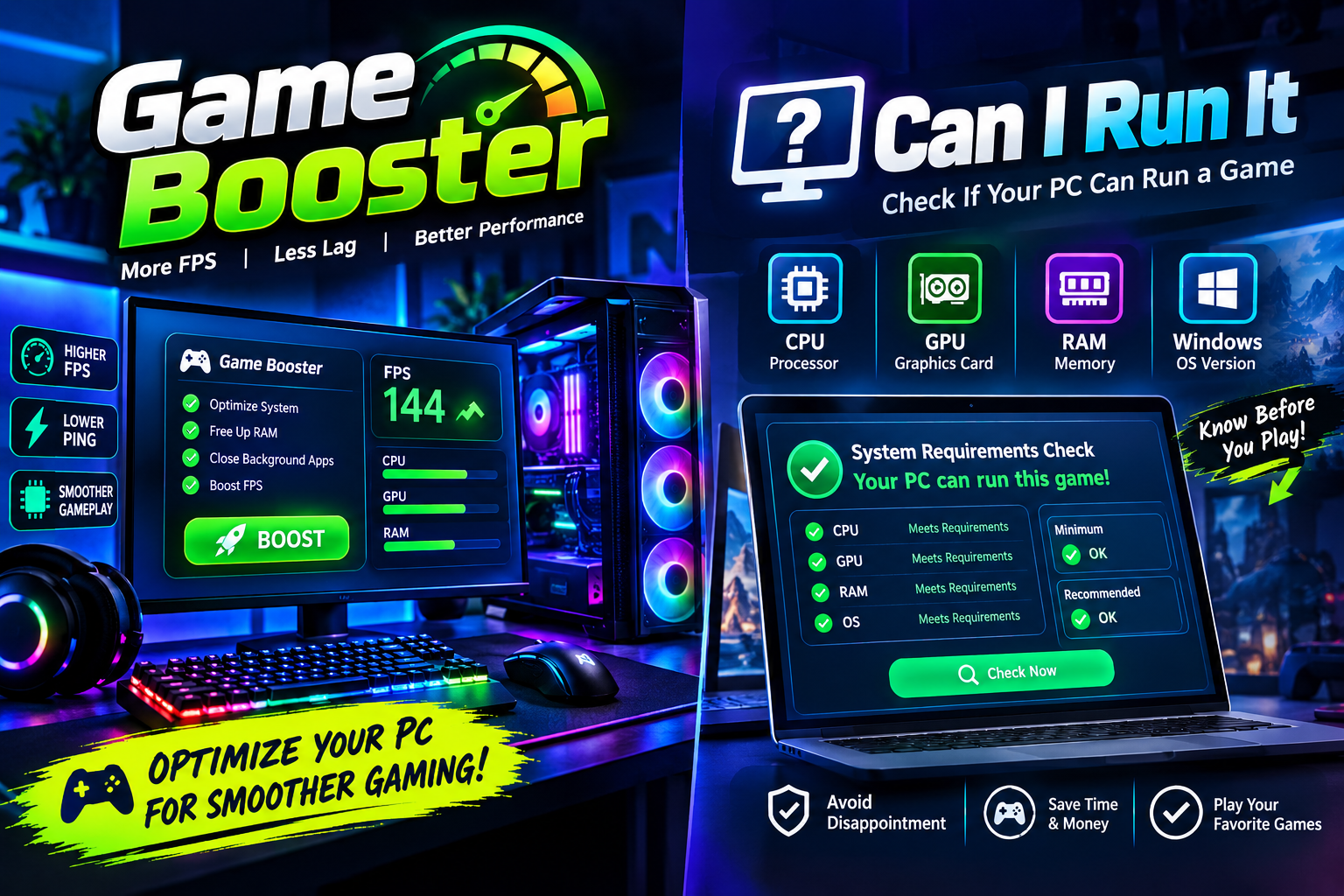
PC gaming can be an enjoyable experience, but not every computer is capable of running every game smoothly. Modern titles often require powerful processors, dedicated graphics cards, sufficient memory, and enough storage space. Even when a computer technically meets a game’s requirements, players may still experience lag, frame drops, long loading times, or other performance problems.
Fortunately, gamers can use different tools and techniques to understand and improve their systems. A Game Booster can help optimize a PC before launching a game, while a Can I run it check can help determine whether a computer is suitable for a particular title. When used together, these approaches can make it easier to identify performance limitations and create a smoother gaming environment.
Why PC Gaming Performance Matters
Gaming performance is influenced by several components working together. The CPU handles many calculations and game processes, while the GPU is responsible for rendering graphics. RAM provides temporary space for active applications, and storage affects how quickly games and files can be loaded.
A problem with any of these components can affect the overall experience.
For example, a computer may have a capable graphics card but limited RAM. Another system might have enough memory but an older processor. Background applications can also consume valuable resources while a game is running.
Understanding the system before changing settings is therefore an important first step.
What Is a Game Booster?
A Game Booster is software designed to help prepare a computer for gaming. Depending on the specific application, it may reduce unnecessary background activity, optimize certain system settings, manage resources, or provide quick access to installed games.
The goal is generally to dedicate more available system resources to the game instead of allowing unnecessary processes to compete for CPU, memory, or other resources.
Some Game Booster applications can identify programs running in the background and temporarily limit selected activities while a game is active. Once the gaming session ends, normal settings can usually be restored.
How a Game Booster Can Help
One of the main benefits of a Game Booster is convenience. Instead of manually closing multiple background applications before every gaming session, users can rely on a single optimization workflow.
For example, a player may have a browser, messaging application, cloud synchronization service, and other utilities running simultaneously. These programs may consume resources even when the player is focused on a game.
A Game Booster can help reduce unnecessary activity and create a cleaner environment for gaming.
However, it is important to understand that optimization software cannot magically transform weak hardware into a high-end gaming PC. If a computer does not have sufficient processing power or graphics capability, software optimization alone will not solve the fundamental limitation.
Understanding “Can I Run It?”
Before purchasing or installing a demanding game, many players ask a simple question: Can I run it?
This question is important because games can have very different hardware requirements. A lightweight title may run comfortably on an older laptop, while a modern open-world game could require a dedicated GPU and a recent processor.
A system compatibility check can compare a computer’s hardware with the requirements of a particular game. This can give users a better idea of whether their PC is likely to handle the title.
Such checks are especially useful before spending money on a game that may not perform well on the available hardware.
Minimum vs. Recommended Requirements
When checking whether a PC can run a game, it is important to understand the difference between minimum and recommended specifications.
Minimum requirements generally represent the basic hardware needed to launch and play the game under suitable conditions. Meeting the minimum does not necessarily mean that the game will run at high graphics settings or deliver a consistently high frame rate.
Recommended specifications usually indicate a more capable configuration intended to provide a better experience.
For example, a computer may meet a game’s minimum RAM requirement but still struggle when multiple applications are open. Similarly, a GPU may technically support a game but deliver limited performance at higher resolutions.
Checking Your PC Before Gaming
A useful compatibility check should consider several components:
Processor
The CPU performs calculations required by the operating system and game. Older processors can become a limitation in CPU-intensive games.
Graphics Card
The GPU has a major impact on visual performance. Games with detailed environments, advanced lighting, and high-resolution textures can place significant demands on graphics hardware.
RAM
Insufficient memory can lead to slowdowns, especially when a game is running alongside other applications.
Storage
Modern games can require substantial storage space. An SSD can also provide faster loading compared with older storage technologies.
Operating System
Some games require specific versions of Windows or other system software. Compatibility should therefore be checked before installation.
Combining a Compatibility Check With a Game Booster
The two approaches solve different problems.
A Can I run it check focuses on whether the computer meets the game’s hardware and software requirements. A Game Booster focuses on optimizing the environment after the game is installed or before it is launched.
For example, suppose a PC meets the recommended requirements for a game but frequently has several unnecessary programs running in the background. A Game Booster may help reduce that additional resource usage.
On the other hand, if the computer does not meet the game’s minimum GPU requirements, optimization software is unlikely to provide a major improvement.
This distinction is important because it prevents users from expecting software tools to overcome serious hardware limitations.
Other Ways to Improve Gaming Performance
A Game Booster is only one part of PC optimization. Gamers can also take several practical steps to improve their experience.
Keeping graphics drivers updated can provide compatibility improvements and bug fixes. Reducing demanding graphics settings can also increase frame rates.
Players should pay attention to system temperatures as well. Excessive heat can cause hardware to reduce performance to protect itself.
Closing unnecessary applications, maintaining enough free storage space, and installing game updates can also contribute to a more stable experience.
Choosing Better Graphics Settings
Not every graphical setting has the same effect on performance. Features such as shadows, reflections, volumetric effects, and advanced lighting can be particularly demanding.
Instead of immediately lowering every setting to the lowest level, players can adjust individual options and observe the result.
A good strategy is to find a balance between visual quality and performance. A slightly lower setting that provides stable gameplay may be preferable to maximum graphics with frequent frame drops.
Common Mistakes to Avoid
Gamers sometimes install multiple optimization programs at the same time, assuming that more software will produce better performance. This can have the opposite effect because the programs themselves may consume system resources.
Another mistake is relying entirely on minimum requirements. Meeting minimum specifications only means that the computer is within the basic supported range; it does not guarantee a high-quality experience.
Users should also avoid changing advanced system settings without understanding their purpose. Unnecessary modifications can create stability problems.
Final Thoughts
A smoother gaming experience begins with understanding the capabilities of your computer. Asking Can I run it before installing a demanding game can help determine whether your hardware is suitable for the title.
Once the game is installed, a Game Booster can provide a convenient way to reduce unnecessary background activity and prepare the system for gaming.
Neither approach replaces capable hardware, but together they can help gamers make smarter decisions. By checking system requirements, optimizing available resources, adjusting graphics settings, and maintaining the PC properly, players can create a more stable and enjoyable gaming environment.
The best gaming setup is not necessarily the most expensive one. It is the system that is properly matched to the games you want to play and configured to use its available resources efficiently.