
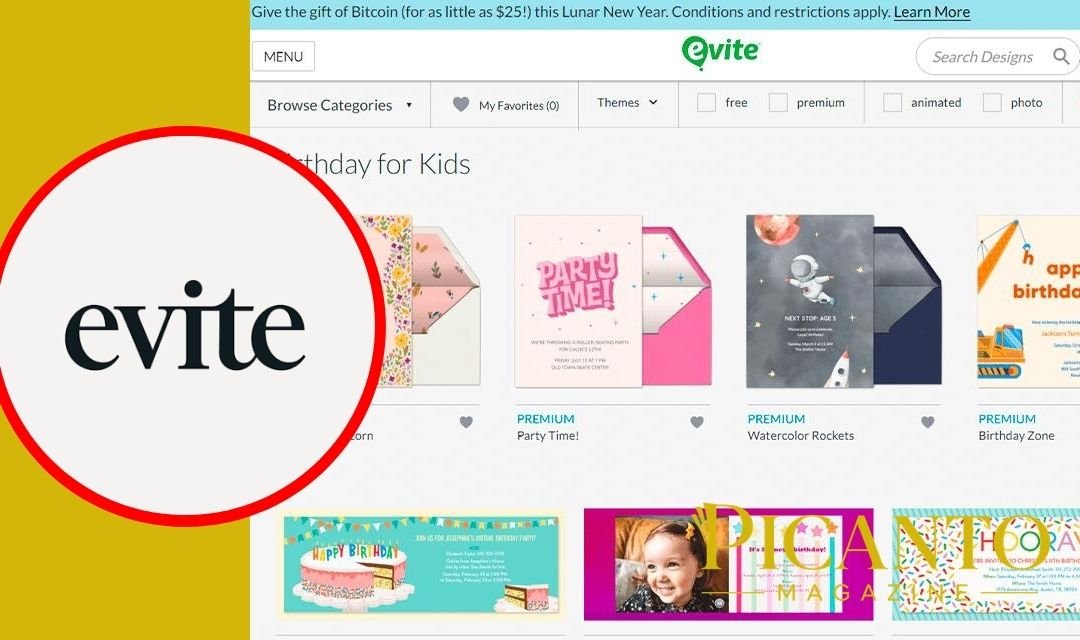
Evite is a popular digital invitation service that helps people create invitations, invite guests, collect RSVPs, and organise events online. Through the official Evite website or mobile app, a host can choose a design, add event information, and send the finished invitation by email or text message. The platform supports many occasions, including birthdays, weddings, baby showers, graduations, holiday parties, professional meetings, and casual gatherings.
Quick Overview of Evite
| Detail | Information |
|---|---|
| Name | Evite |
| Type | Digital invitation and event-planning service |
| Founded | 1998 |
| Founders | Selina Tobaccowala and Al Lieb |
| Country | United States |
| Main purpose | Creating and sending online invitations |
| Delivery options | Email, text message and shareable link |
| RSVP tracking | Yes |
| Free invitations | Available |
| Free guest limit | Up to 750 guests |
| Premium invitations | Available for a one-time event charge |
| Evite Pro | Annual subscription |
| Evite Pro price | $249.99 per year as of August 2026 |
| Pro guest limit | Up to 2,500 guests per invitation |
| Mobile apps | Available for major mobile devices |
| Greeting cards | Available |
| E-gift options | Available |
| Best for | Personal celebrations and professional events |
What Is Evite?
Evite is an online tool for creating and sending digital invitations.
Its name combines the words “electronic” and “invite.” Instead of buying printed cards, writing addresses, purchasing stamps, and waiting for postal delivery, hosts can send invitations through the internet.
Each Evite invitation can contain important details such as:
- The event name
- Date and starting time
- Ending time
- Venue or online meeting location
- Host’s name
- Directions
- Special instructions
- RSVP options
- Guest questions
- Gift suggestions
Guests open the invitation and choose whether they are attending. The host can then see the responses from a personal event dashboard.
This makes Evite both an invitation maker and a simple event-management service.
How Does Evite Work?
Evite guides users through a straightforward process.
First, the host chooses an invitation template. Evite provides designs for different ages, events, themes, seasons, and styles.
Next, the host enters the event details. This normally includes the occasion, date, time, address, and a message for guests.
The host then creates a guest list. People can be invited by entering email addresses or mobile telephone numbers. A shareable link may also be available for sending through messaging or social-media services.
After the invitations are sent, guests can respond online. Evite places the responses into groups such as attending, not attending, and undecided.
The host can return to the dashboard to check numbers, send updates, answer questions, or remind guests who have not replied.
How to Create an Evite Invitation
Creating an invitation normally requires only a few steps.
1. Create or access an account
Visit Evite and sign in. New users can create an account with their personal details.
2. Choose the occasion
Select a category such as birthday, wedding, graduation, baby shower, holiday, professional gathering, or dinner party.
3. Select a design
Browse the free and Premium templates. Look for a design that matches the mood of the occasion.
4. Add event information
Enter the event title, host’s name, date, time, address, and instructions.
5. Adjust the settings
Choose whether guests may bring other people, see the guest list, leave comments, or receive reminders.
6. Add guests
Enter email addresses or mobile numbers. Check the spelling carefully before sending.
7. Preview the invitation
Look at the design from a guest’s point of view. Confirm that the date, time, venue, and contact details are correct.
8. Send it
Deliver the invitation through email, text message, or another available sharing method.
After sending, the host can monitor the guest list from the dashboard.
Does Evite Have Free Invitations?
Yes. Evite offers free invitation designs that cost nothing to create and send.
Free invitations include basic event information and RSVP tracking. They are suitable for birthdays, family dinners, school events, holiday gatherings, and many other occasions.
As of August 2026, a free invitation can support a guest list of up to 750 people.
That limit is much larger than most families need. Even a medium-sized wedding, graduation celebration, or community event may fit comfortably within it.
However, some advanced options can change a free invitation into a paid Premium invitation. Hosts should check the screen carefully before confirming an upgrade.
Free invitations may also provide fewer design and customisation choices than Premium ones.
What Is an Evite Premium Invitation?
Premium invitations provide extra design and event-management features.
They are usually advertisement-free and may include matching digital envelopes, stamps, additional cards, photographs, text sections, and visual enhancements.
Premium pricing is based on the number of guests receiving the invitation.
As of August 2026, the listed single-event packages include:
| Premium level | Guest-list size | Price |
|---|---|---|
| Silver | Up to 12 guests | $17.99 |
| Gold | Up to 30 guests | $36.99 |
| Platinum | Up to 75 guests | $68.99 |
| Diamond | Up to 750 guests | $99.99 |
These prices can change. Users should always check the final amount shown before purchasing.
A Premium package normally applies to one event rather than providing unlimited paid invitations for an entire year.
What Is Evite Pro?
Evite Pro is the annual subscription designed for people and organisations that create several events.
As of August 2026, Evite Pro costs $249.99 per year. It includes unlimited Premium invitations and greeting cards during the subscription period.
Evite Pro supports up to 2,500 guests on each invitation, which is far more than the 750-person limit on free and single-event Premium invitations.
It may suit:
- Professional event planners
- Companies
- Schools
- Clubs
- Charities
- Community organisations
- Wedding businesses
- People hosting frequent large events
A person planning only one small birthday party probably does not need an annual Pro subscription.
Before subscribing, check whether the plan renews automatically and how to cancel it.
Evite Free Versus Premium Versus Pro
The best option depends on the number of guests and how often invitations will be sent.
| Feature | Free | Premium | Evite Pro |
|---|---|---|---|
| Cost | Free | One-time event fee | Annual fee |
| Invitations | Free designs | Premium designs | Unlimited Premium invitations |
| Guest limit | Up to 750 | Up to 750 | Up to 2,500 per invitation |
| RSVP tracking | Yes | Yes | Yes |
| Advertisements | May appear | Advertisement-free | Advertisement-free |
| Advanced design options | Limited | Included | Included |
| Best for | Casual events | Special single events | Frequent or professional use |
For most simple gatherings, the free version should be enough.
Premium is useful when presentation matters and the host wants a polished invitation without advertising. Pro is valuable only when the user expects to create many invitations.
How Guests Receive an Evite
An Evite can be delivered through email or text message.
The message includes a link leading to the event invitation. Guests select the link, review the details, and submit their response.
A host may also use a shareable invitation link. This can be pasted into a private message or group conversation.
Text delivery can be helpful when guests do not check email regularly. Email may work better for formal events or invitations containing longer information.
Hosts should avoid posting a private event link publicly. Anyone who receives an open invitation link may be able to view or respond to it, depending on the settings.
Do Guests Need an Evite Account?
Guests usually do not need to create a full Evite account simply to view an invitation and submit an RSVP.
They can open the invitation, enter the requested information, and choose a response.
However, certain functions may work better when a user signs in. An account can help someone find previous invitations, manage contacts, or create an event of their own.
Hosts should make the RSVP process simple. Asking guests to complete too many steps may reduce the number of responses.
How RSVP Tracking Works
RSVP comes from a French phrase that means “please respond.”
Evite collects each guest’s answer and organises the results for the host.
Common response groups include:
- Attending
- Not attending
- Maybe or undecided
- Not yet replied
The host can use these numbers to plan food, chairs, tables, gifts, transport, and other event needs.
Some invitations allow guests to add a partner or children. Hosts should review the total number of people rather than counting only the number of responses.
Evite can also help the host contact guests who have not answered.
Can Evite Send Reminders?
Yes. Evite includes tools for reminding guests about an event or an unanswered invitation.
Reminders can be helpful when invitations were sent several weeks earlier. People may plan to reply but forget.
The host may also send updates if something changes, such as:
- A new starting time
- A different venue
- Parking instructions
- Weather information
- A dress code
- Food arrangements
- A meeting link
- A cancellation
Messages should be short and clear. Guests should never need to search through a long paragraph to find an important change.
What Is the RSVP-By Feature?
The RSVP-by feature allows a host to give guests a deadline for responding.
A deadline can make event planning much easier. A caterer, venue, or organiser may need the final guest number several days before the event.
On Evite, activating an RSVP-by date on a free design may upgrade the invitation to Premium. Users should check for a payment notice before switching on this feature.
A host using a free invitation can still write a reply deadline in the event description, although that may not provide the same built-in controls.
Evite Event Sign-Ups
Evite can also help organise sign-ups for items or activities.
For example, a host planning a shared meal may ask guests to bring:
- Drinks
- Desserts
- Main dishes
- Snacks
- Plates
- Cups
- Decorations
- Games
A school or community event may use sign-ups for volunteer duties, equipment, or time slots.
This feature can prevent ten people from bringing the same item while something important is forgotten.
The organiser should keep the list simple and send a reminder shortly before the event.
Invitations for Birthdays
Birthday invitations are among Evite’s most common uses.
Designs are available for children, teenagers, adults, and milestone birthdays. Themes may include animals, sports, cartoons, flowers, games, food, colours, and photographs.
A useful birthday Evite should explain:
- The birthday person’s name
- Age, if appropriate
- Date and time
- Venue
- RSVP deadline
- Whether parents should stay
- Food or allergy information
- Gift preferences
- Clothing or activity instructions
For a child’s party, avoid displaying sensitive personal details publicly. Send the invitation only to trusted guests.
Evite for Weddings
Evite provides invitations for different wedding-related events, including:
- Engagement parties
- Bridal showers
- Wedding showers
- Bachelor or bachelorette gatherings
- Rehearsal dinners
- Wedding ceremonies
- Receptions
- Post-wedding celebrations
Digital invitations can save money and time, especially for informal weddings.
Some couples still prefer printed cards for the main ceremony because physical invitations feel traditional and can be kept as memories. Others choose Evite because it makes guest communication much easier.
A couple may also combine both options by sending formal printed invitations and using digital tools for updates or smaller wedding events.
Evite for Professional Events
Businesses can use Evite for meetings, networking events, launches, staff parties, workshops, and customer gatherings.
A professional invitation should use clear language and a simple design. It should include the organisation’s name, event purpose, date, time zone, location, parking details, and contact person.
For online events, test the meeting link before sending it.
Companies planning frequent events may find Evite Pro more useful than paying separately for multiple Premium invitations.
However, organisations should review privacy, security, and data-handling rules before uploading large contact lists.
Evite Greeting Cards and Announcements
Evite is not limited to party invitations.
Users can send digital greeting cards for birthdays, holidays, thanks, sympathy, congratulations, and other personal messages.
Announcements can be used for:
- Engagements
- New babies
- Graduations
- Moving home
- Save-the-date notices
- Family news
Digital cards arrive quickly and avoid printing or postage costs.
Still, a physical card may feel more personal for certain moments. The right choice depends on the recipient and occasion.
Gifts and Gift Suggestions
Evite may show gifting ideas or allow hosts to include gift-related information.
For example, a host might link a registry, request donations, or explain that gifts are not needed.
Some free invitations may include Evite’s own gifting suggestions. Disabling these suggestions can require a Premium upgrade.
Hosts should review the invitation preview carefully to understand what guests will see.
Gift information should always feel optional and polite. An invitation should not make guests feel that they must spend money to attend.
Is Evite Safe?
Evite is a long-established service, but users should still protect their accounts and personal information.
The company disclosed a major historical data breach in 2019 involving older user information. Reports said the affected records did not include data newer than 2013, but the incident remains an important reminder about password security.
Users should:
- Create a strong and unique password
- Avoid reusing passwords from other websites
- Check the sender before opening an invitation
- Confirm unexpected events with the host
- Avoid entering payment information on copycat pages
- Keep private invitation links away from public posts
- Remove outdated contacts when appropriate
- Watch for suspicious messages
An Evite invitation can be genuine, but criminals can copy familiar brands in phishing emails. Always examine the sender and destination address.
Can an Evite Invitation Be Fake?
Yes. A dishonest person could create a fake event or send a message designed to look like a real Evite.
Possible warning signs include:
- An event hosted by someone you do not know
- Urgent demands for money
- Requests for passwords
- A misspelled website address
- Attachments that must be downloaded
- Strange payment instructions
- A message claiming you won a prize
- A login page that looks unusual
If you are unsure, contact the supposed host through a telephone number or account you already trust. Do not use contact details supplied inside the suspicious message.
Advantages of Using Evite
Evite provides several clear benefits.
Fast delivery
Invitations can reach guests within minutes.
Lower cost
Free designs avoid printing and postage expenses.
RSVP organisation
The host can view responses in one place.
Easy updates
Changes can be sent without printing new cards.
Many designs
Templates are available for a wide range of events.
Environmental benefit
Digital invitations use less paper and physical delivery.
Large guest lists
Free invitations support up to 750 guests, while Pro supports up to 2,500.
These features can save a host a great deal of time.
Possible Disadvantages
Evite is not perfect for every event.
Some older guests may prefer paper invitations or may not feel comfortable responding online. Digital messages can also enter spam folders or be overlooked.
Free designs may include fewer customisation options, advertisements, or gifting suggestions. Certain advanced settings can require payment.
A digital invitation also feels less permanent than a printed card. Guests cannot easily place it on a refrigerator unless they print it themselves.
Finally, an incorrect email address or mobile number can prevent the invitation from arriving.
Tips for Creating a Better Evite
A good invitation should be attractive but also easy to understand.
Use a short event title and place the most important information near the top. Check the date and time twice before sending.
Choose colours that make the text easy to read. A beautiful background is not helpful if guests cannot see the address.
Explain whether children, partners, or additional guests are invited. Add a contact method for questions.
Send invitations early enough for people to plan, but not so early that they forget.
Finally, preview the invitation on both a computer and telephone if possible.
Evite Alternatives
Evite is one of several digital invitation services.
Alternatives may include Partiful, Paperless Post, Greenvelope, Punchbowl, Canva invitations, Apple Invites, Facebook Events, and simple calendar invitations.
Each service has different strengths.
Some focus on beautiful formal designs. Others are designed for casual text-message invitations, social interaction, or business events.
Before choosing, compare:
- Cost
- Guest limits
- Design quality
- RSVP tools
- Advertisements
- Text-message delivery
- Privacy settings
- App requirements
- Guest convenience
The best platform is the one that makes attending easy for your particular guests.
Final Thoughts
Evite is a useful online service for anyone who wants to create invitations and manage guest responses without printing cards.
The platform supports casual parties, weddings, baby showers, graduations, holidays, professional meetings, and many other events. Hosts can send invitations through email or text and monitor RSVPs from one dashboard.
Its free option supports up to 750 guests, making it suitable for most personal events. Premium packages add polished designs and advanced features, while the $249.99 annual Evite Pro plan supports frequent use and up to 2,500 guests per invitation.
Users should check the final price before activating Premium-only tools. They should also protect their passwords and confirm unexpected invitations to avoid phishing attempts.
Evite cannot replace every traditional card. Some formal occasions still benefit from a printed invitation. However, its speed, RSVP tracking, design choices, and simple updates make it a practical choice for modern event planning.
Frequently Asked Questions
What is Evite used for?
Evite is used to create and send digital invitations, collect RSVPs, message guests, and organise events.
Is Evite free?
Yes. Evite offers free invitation designs with basic event and RSVP features.
How many guests can I invite for free?
As of August 2026, free invitations support up to 750 guests.
How much does Evite Premium cost?
Single-event Premium prices begin at $17.99 for up to 12 guests and increase according to the guest-list size.
How much is Evite Pro?
Evite Pro is listed at $249.99 per year as of August 2026.
What does Evite Pro include?
It includes unlimited Premium invitations and greeting cards, with support for up to 2,500 guests per invitation.
Can I send an Evite by text?
Yes. Invitations can be delivered to supported mobile numbers through text messaging.
Can I send an Evite by email?
Yes. Email is one of the main delivery options.
Do guests need an account?
Guests generally do not need a full account simply to view an invitation and submit an RSVP.
Can Evite track RSVPs?
Yes. Hosts can see who is attending, declining, undecided, or has not responded.
Can I change an Evite after sending it?
Hosts can edit many event details and send updates, although certain changes may affect guests or require additional steps.
Can I use Evite for a wedding?
Yes. Evite provides designs for weddings, engagement parties, showers, rehearsal dinners, and related events.
Can businesses use Evite?
Yes. Businesses can use it for meetings, workshops, launches, networking events, and staff gatherings.
Is Evite safe?
It is a long-running service, but users should use unique passwords, protect private links, and watch for fake invitation messages.
Can an Evite be a scam?
A scammer can copy the appearance of any familiar company. Confirm unexpected invitations with the supposed host before entering information.
Does Evite send reminders?
Yes. Hosts can use reminder and messaging tools to contact invited guests.
Can I hide the guest list?
Evite provides event settings that control what guests can see. Hosts should review privacy options before sending.
Does Evite offer greeting cards?
Yes. The platform offers digital greeting cards and announcements in addition to invitations.
For more info, visit picantomagazine.com.