
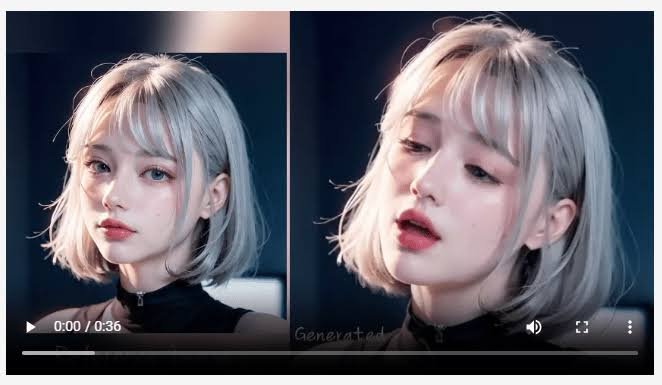
You have scrolled past them. A product rotating in light that does not exist, a character walking through a city nobody built, an animal doing something impossible with a completely straight face.
The usual assumption is that somebody typed a sentence and a finished video appeared. That is not how most of them are made, and the real process is considerably more ordinary.
Here is what is actually happening behind those clips, including the models doing the work and the tools people are using.
The Short Version: It Starts With an Image
Almost nobody generates a good video from a written description alone. The results are unpredictable, and you cannot control what you cannot see.
What happens instead is that the creator makes or uses a still image first, gets it exactly right, and only then animates it. The image carries the composition, the lighting, and the subject, so the video stage only has to add movement.
That is why an AI art generator is the first tool in the chain rather than an alternative to a video tool. ImagineArt is built around this, keeping image creation and video generation in the same place so the still never has to leave the workspace to become a clip.
Then the Image Is Animated
With the frame settled, the second stage adds motion. This is the part that looks like magic and is mostly direction.
The creator specifies what moves, what stays still, and how the camera behaves. Left unspecified, the model animates everything, which is why amateur attempts look like a melting photograph while good ones look deliberate.
Working as an AI video generator, ImagineArt handles both routes, text to video for scenes built from scratch and image to video for animating something you already have. Most published clips take the second route.
The Models Doing the Work
Here is the part most explanations skip. There is no single AI behind these videos. There are dozens of competing models, and creators choose between them per shot.
Video Models
- Runway, currently leading blind preference testing, strong on control
- Veo, Google’s line, known for cinematic output with synchronised audio
- Kling, strong on character consistency across separate clips
- Seedance, fast generation with reliable subject consistency
- Sora, strong on following complicated prompts
- Gemini Omni Flash, built around editing a clip by describing the change
Image Models
- Nano Banana, strong on photorealism and faithful editing
- Flux, detailed and textural
- Seedream, stylised and editorial
- Midjourney, distinctive artistic look
- Ideogram, the one to use when text has to appear legibly in the image
ImagineArt runs around forty of these in one place, which is the practical reason creators can switch engines when something looks wrong instead of rewriting the same prompt repeatedly.
The Studios Inside One Suite
Beyond the generators, the platform is organised into purpose-built workspaces, each handling a different kind of job.
- Film Studio, for assembling longer sequences from multiple clips
- Ad Studio, generating campaign variants from one concept
- Fashion Studio, built for clothing, on-model and lookbook imagery
- Audio Studio, covering generated sound, voiceover, and lip sync
Audio is the one people forget. A video meme lives or dies on its sound, and lip sync is what puts words in a generated character’s mouth.
What Else Is in the Suite
An all-in-one creative suite only earns the description if the unglamorous parts are there too.
- Image editing, covering background removal, inpainting, relight, face swap, and combining
- Video editing for trims, transitions, and removing objects from footage
- Upscaling, so images and clips hold up at full screen rather than looking soft
- Brand kits, storing colours and reference images between sessions
- Reference image support, which controls output better than any amount of extra prompt text
- iOS and Android apps, which matter because ideas arrive while scrolling
Why All-in-One Matters Here
Doing this across separate tools is possible and tedious. Generate the image in one place, export, upload to a second service, animate, export again, open a third for sound.
Every export is a step, and every step is where people give up. Keeping generation, animation, editing, and audio in one workspace is the difference between posting weekly and posting once.
What It Still Cannot Do
Worth knowing before you expect too much.
- Clips cap around ten seconds, so longer videos are stitched together
- Hands, crowds, and on-screen text remain the most common failure points
- It cannot film real people or real places, which still needs a camera
- First attempts are usually wrong, so expect to discard several per keeper
- Generating recognisable real people is a rights problem, not a feature
Conclusion
The videos you have been scrolling past are not one clever prompt. They are a still image made carefully, animated with direction about what should move, finished with sound, and published before the idea went stale. What makes that practical is having the whole chain in one place, which is what an all-in-one suite like ImagineArt actually means, with around forty models, four studios, editing, audio, and upscaling behind a single login. Free daily credits make it testable, and the fastest way to understand the process is to animate a photo you already own.
Frequently Asked Questions
Do you need video editing skills to make these?
No. The direction is given in plain language and the editing is automated. What you need is patience, since most generations are discarded before you get a usable one.
How long do AI videos take to make?
A usable short clip takes minutes once you know the workflow. The time goes into generating several versions and choosing between them rather than into any single render.
Can you make them on a phone?
Yes. There are iOS and Android apps covering generation and editing, which suits social content since the idea and the posting usually happen within the same hour.